%20scale(2.92)'%20fill='none'%20stroke='currentColor'%20stroke-width='2.6'%20stroke-linecap='round'%20stroke-linejoin='round'%3e%3cpath%20d='M10%2013a5%205%200%200%200%207.54.54l3-3a5%205%200%200%200-7.07-7.07l-1.72%201.71'/%3e%3cpath%20d='M14%2011a5%205%200%200%200-7.54-.54l-3%203a5%205%200%200%200%207.07%207.07l1.71-1.71'/%3e%3c/g%3e%3cpath%20fill='%23f7f5f2'%20d='M166.46%2091.84Q159.83%2091.84%20156.34%2088.06Q152.86%2084.28%20152.86%2077.39L152.86%2045.81Q152.86%2038.92%20156.34%2035.14Q159.83%2031.36%20166.46%2031.36Q173.10%2031.36%20176.59%2035.14Q180.07%2038.92%20180.07%2045.81L180.07%2052.02L171.34%2052.02L171.34%2045.22Q171.34%2039.76%20166.72%2039.76Q162.10%2039.76%20162.10%2045.22L162.10%2078.06Q162.10%2083.44%20166.72%2083.44Q171.34%2083.44%20171.34%2078.06L171.34%2069.08L180.07%2069.08L180.07%2077.39Q180.07%2084.28%20176.59%2088.06Q173.10%2091.84%20166.46%2091.84M185.62%2091L185.62%2032.20L194.86%2032.20L194.86%2056.14L204.77%2056.14L204.77%2032.20L214.01%2032.20L214.01%2091L204.77%2091L204.77%2064.54L194.86%2064.54L194.86%2091L185.62%2091M218.46%2091L228.04%2032.20L240.55%2032.20L250.13%2091L240.89%2091L239.21%2079.32L239.21%2079.49L228.71%2079.49L227.03%2091L218.46%2091M229.80%2071.51L238.12%2071.51L234%2042.45L233.83%2042.45L229.80%2071.51M254.58%2091L254.58%2032.20L263.82%2032.20L263.82%2091L254.58%2091M270.71%2091L270.71%2032.20L282.30%2032.20L291.29%2067.40L291.46%2067.40L291.46%2032.20L299.69%2032.20L299.69%2091L290.20%2091L279.11%2048.08L278.94%2048.08L278.94%2091L270.71%2091M320.02%2091L320.02%2032.20L329.26%2032.20L329.26%2091L320.02%2091M336.14%2091L336.14%2032.20L347.74%2032.20L356.72%2067.40L356.89%2067.40L356.89%2032.20L365.12%2032.20L365.12%2091L355.63%2091L344.54%2048.08L344.38%2048.08L344.38%2091L336.14%2091M384.02%2091.84Q377.30%2091.84%20373.86%2088.02Q370.42%2084.20%20370.42%2077.06L370.42%2073.70L379.15%2073.70L379.15%2077.73Q379.15%2083.44%20383.94%2083.44Q386.29%2083.44%20387.51%2082.05Q388.73%2080.67%20388.73%2077.56Q388.73%2073.86%20387.05%2071.05Q385.37%2068.24%20380.83%2064.29Q375.12%2059.25%20372.85%2055.17Q370.58%2051.10%20370.58%2045.98Q370.58%2039%20374.11%2035.18Q377.64%2031.36%20384.36%2031.36Q391%2031.36%20394.40%2035.18Q397.80%2039%20397.80%2046.14L397.80%2048.58L389.06%2048.58L389.06%2045.56Q389.06%2042.53%20387.89%2041.15Q386.71%2039.76%20384.44%2039.76Q379.82%2039.76%20379.82%2045.39Q379.82%2048.58%20381.55%2051.35Q383.27%2054.12%20387.80%2058.07Q393.60%2063.11%20395.78%2067.23Q397.97%2071.34%20397.97%2076.89Q397.97%2084.11%20394.40%2087.98Q390.83%2091.84%20384.02%2091.84M403.26%2091L403.26%2032.20L412.50%2032.20L412.50%2091L403.26%2091M432.49%2091.84Q425.77%2091.84%20422.24%2088.02Q418.72%2084.20%20418.72%2077.06L418.72%2046.14Q418.72%2039%20422.24%2035.18Q425.77%2031.36%20432.49%2031.36Q439.21%2031.36%20442.74%2035.18Q446.27%2039%20446.27%2046.14L446.27%2051.18L437.53%2051.18L437.53%2045.56Q437.53%2039.76%20432.74%2039.76Q427.96%2039.76%20427.96%2045.56L427.96%2077.73Q427.96%2083.44%20432.74%2083.44Q437.53%2083.44%20437.53%2077.73L437.53%2066.22L432.91%2066.22L432.91%2057.82L446.27%2057.82L446.27%2077.06Q446.27%2084.20%20442.74%2088.02Q439.21%2091.84%20432.49%2091.84M452.23%2091L452.23%2032.20L461.47%2032.20L461.47%2056.14L471.38%2056.14L471.38%2032.20L480.62%2032.20L480.62%2091L471.38%2091L471.38%2064.54L461.47%2064.54L461.47%2091L452.23%2091M494.74%2091L494.74%2040.60L485.08%2040.60L485.08%2032.20L513.64%2032.20L513.64%2040.60L503.98%2040.60L503.98%2091L494.74%2091M530.10%2091.84Q523.38%2091.84%20519.94%2088.02Q516.49%2084.20%20516.49%2077.06L516.49%2073.70L525.23%2073.70L525.23%2077.73Q525.23%2083.44%20530.02%2083.44Q532.37%2083.44%20533.59%2082.05Q534.80%2080.67%20534.80%2077.56Q534.80%2073.86%20533.12%2071.05Q531.44%2068.24%20526.91%2064.29Q521.20%2059.25%20518.93%2055.17Q516.66%2051.10%20516.66%2045.98Q516.66%2039%20520.19%2035.18Q523.72%2031.36%20530.44%2031.36Q537.07%2031.36%20540.47%2035.18Q543.88%2039%20543.88%2046.14L543.88%2048.58L535.14%2048.58L535.14%2045.56Q535.14%2042.53%20533.96%2041.15Q532.79%2039.76%20530.52%2039.76Q525.90%2039.76%20525.90%2045.39Q525.90%2048.58%20527.62%2051.35Q529.34%2054.12%20533.88%2058.07Q539.68%2063.11%20541.86%2067.23Q544.04%2071.34%20544.04%2076.89Q544.04%2084.11%20540.47%2087.98Q536.90%2091.84%20530.10%2091.84'/%3e%3c/svg%3e)
Safety Academy · Story 15 · Look-alike npm packages
Two letters. Too much access.
A misspelled software package nearly joins Ken’s payment demo.
Estimated 4 min read
Ken adds a payment helper to a demo.
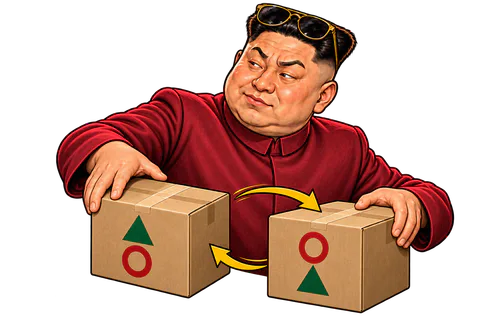
Ken is building a café payment demo. The verified project docs name @demo/payments, but his proposed dependency says @demo/paymetns. These illustrative package names differ by two transposed letters.
“One dependency. Ten minutes saved.”

These package names are invented. The risk is confusing two different packages.
The look-alike has a convincing description.
The registry page repeats the expected description, but the publisher is different. The scammer has copied the shop window and replaced what is inside.
“Five stars. All from my imagination.”
Popularity claims and familiar text do not authenticate a package.
The package can run more than the demo.
Before installing, Ken reviews the package change and finds an install script. His work computer contains credentials. Installing a dependency can execute code with the access available to his user.
“Why does a payment helper have an install script?”

Installed code may run with access available to your user or build process.
Capitano Ritas compares the exact package identity.
Capitano Ritas compares the exact package name with the project’s official docs, then checks publisher, source and new scripts. Reading a familiar description would have missed the substitution.
“Two letters changed. Apparently that includes who gets your secrets.”

Checking only the package description misses the substitution.
Ken rejects the typo and reviews the intended package.
Ken rejects the lookalike before it runs. He evaluates the intended dependency separately without valuable secrets, reviews its version and records the choice.
“Two letters nearly became a security incident.”

Disabling install scripts can reduce one risk. It does not make runtime code trustworthy.
The project never runs the impostor.
The demo never executes the impostor. Disabling install scripts can reduce one risk, but later runtime code still needs trust. Autocomplete has been demoted from security reviewer.
“Autocomplete needs adult supervision.”

Treat a new dependency as new code you are choosing to trust.
The useful bit
One misspelled dependency can put an attacker’s code in your project.
- Copy package names from the official docs and compare them letter by letter. Check the publisher and the source.
- Read install scripts and dependencies before you install. Try unknown code on a machine with no credentials.
- Pin the versions you reviewed. Blocking install scripts helps, but it does not vet what runs later.
I already did this
If the package ran, stop using that machine for secrets and alert your security team. Review what it could access; revoke and replace exposed service credentials from a clean setup. Removing the dependency does not invalidate stolen credentials. Wallet-key exposure needs a separate wallet response.