%20scale(2.92)'%20fill='none'%20stroke='currentColor'%20stroke-width='2.6'%20stroke-linecap='round'%20stroke-linejoin='round'%3e%3cpath%20d='M10%2013a5%205%200%200%200%207.54.54l3-3a5%205%200%200%200-7.07-7.07l-1.72%201.71'/%3e%3cpath%20d='M14%2011a5%205%200%200%200-7.54-.54l-3%203a5%205%200%200%200%207.07%207.07l1.71-1.71'/%3e%3c/g%3e%3cpath%20fill='%23f7f5f2'%20d='M166.46%2091.84Q159.83%2091.84%20156.34%2088.06Q152.86%2084.28%20152.86%2077.39L152.86%2045.81Q152.86%2038.92%20156.34%2035.14Q159.83%2031.36%20166.46%2031.36Q173.10%2031.36%20176.59%2035.14Q180.07%2038.92%20180.07%2045.81L180.07%2052.02L171.34%2052.02L171.34%2045.22Q171.34%2039.76%20166.72%2039.76Q162.10%2039.76%20162.10%2045.22L162.10%2078.06Q162.10%2083.44%20166.72%2083.44Q171.34%2083.44%20171.34%2078.06L171.34%2069.08L180.07%2069.08L180.07%2077.39Q180.07%2084.28%20176.59%2088.06Q173.10%2091.84%20166.46%2091.84M185.62%2091L185.62%2032.20L194.86%2032.20L194.86%2056.14L204.77%2056.14L204.77%2032.20L214.01%2032.20L214.01%2091L204.77%2091L204.77%2064.54L194.86%2064.54L194.86%2091L185.62%2091M218.46%2091L228.04%2032.20L240.55%2032.20L250.13%2091L240.89%2091L239.21%2079.32L239.21%2079.49L228.71%2079.49L227.03%2091L218.46%2091M229.80%2071.51L238.12%2071.51L234%2042.45L233.83%2042.45L229.80%2071.51M254.58%2091L254.58%2032.20L263.82%2032.20L263.82%2091L254.58%2091M270.71%2091L270.71%2032.20L282.30%2032.20L291.29%2067.40L291.46%2067.40L291.46%2032.20L299.69%2032.20L299.69%2091L290.20%2091L279.11%2048.08L278.94%2048.08L278.94%2091L270.71%2091M320.02%2091L320.02%2032.20L329.26%2032.20L329.26%2091L320.02%2091M336.14%2091L336.14%2032.20L347.74%2032.20L356.72%2067.40L356.89%2067.40L356.89%2032.20L365.12%2032.20L365.12%2091L355.63%2091L344.54%2048.08L344.38%2048.08L344.38%2091L336.14%2091M384.02%2091.84Q377.30%2091.84%20373.86%2088.02Q370.42%2084.20%20370.42%2077.06L370.42%2073.70L379.15%2073.70L379.15%2077.73Q379.15%2083.44%20383.94%2083.44Q386.29%2083.44%20387.51%2082.05Q388.73%2080.67%20388.73%2077.56Q388.73%2073.86%20387.05%2071.05Q385.37%2068.24%20380.83%2064.29Q375.12%2059.25%20372.85%2055.17Q370.58%2051.10%20370.58%2045.98Q370.58%2039%20374.11%2035.18Q377.64%2031.36%20384.36%2031.36Q391%2031.36%20394.40%2035.18Q397.80%2039%20397.80%2046.14L397.80%2048.58L389.06%2048.58L389.06%2045.56Q389.06%2042.53%20387.89%2041.15Q386.71%2039.76%20384.44%2039.76Q379.82%2039.76%20379.82%2045.39Q379.82%2048.58%20381.55%2051.35Q383.27%2054.12%20387.80%2058.07Q393.60%2063.11%20395.78%2067.23Q397.97%2071.34%20397.97%2076.89Q397.97%2084.11%20394.40%2087.98Q390.83%2091.84%20384.02%2091.84M403.26%2091L403.26%2032.20L412.50%2032.20L412.50%2091L403.26%2091M432.49%2091.84Q425.77%2091.84%20422.24%2088.02Q418.72%2084.20%20418.72%2077.06L418.72%2046.14Q418.72%2039%20422.24%2035.18Q425.77%2031.36%20432.49%2031.36Q439.21%2031.36%20442.74%2035.18Q446.27%2039%20446.27%2046.14L446.27%2051.18L437.53%2051.18L437.53%2045.56Q437.53%2039.76%20432.74%2039.76Q427.96%2039.76%20427.96%2045.56L427.96%2077.73Q427.96%2083.44%20432.74%2083.44Q437.53%2083.44%20437.53%2077.73L437.53%2066.22L432.91%2066.22L432.91%2057.82L446.27%2057.82L446.27%2077.06Q446.27%2084.20%20442.74%2088.02Q439.21%2091.84%20432.49%2091.84M452.23%2091L452.23%2032.20L461.47%2032.20L461.47%2056.14L471.38%2056.14L471.38%2032.20L480.62%2032.20L480.62%2091L471.38%2091L471.38%2064.54L461.47%2064.54L461.47%2091L452.23%2091M494.74%2091L494.74%2040.60L485.08%2040.60L485.08%2032.20L513.64%2032.20L513.64%2040.60L503.98%2040.60L503.98%2091L494.74%2091M530.10%2091.84Q523.38%2091.84%20519.94%2088.02Q516.49%2084.20%20516.49%2077.06L516.49%2073.70L525.23%2073.70L525.23%2077.73Q525.23%2083.44%20530.02%2083.44Q532.37%2083.44%20533.59%2082.05Q534.80%2080.67%20534.80%2077.56Q534.80%2073.86%20533.12%2071.05Q531.44%2068.24%20526.91%2064.29Q521.20%2059.25%20518.93%2055.17Q516.66%2051.10%20516.66%2045.98Q516.66%2039%20520.19%2035.18Q523.72%2031.36%20530.44%2031.36Q537.07%2031.36%20540.47%2035.18Q543.88%2039%20543.88%2046.14L543.88%2048.58L535.14%2048.58L535.14%2045.56Q535.14%2042.53%20533.96%2041.15Q532.79%2039.76%20530.52%2039.76Q525.90%2039.76%20525.90%2045.39Q525.90%2048.58%20527.62%2051.35Q529.34%2054.12%20533.88%2058.07Q539.68%2063.11%20541.86%2067.23Q544.04%2071.34%20544.04%2076.89Q544.04%2084.11%20540.47%2087.98Q536.90%2091.84%20530.10%2091.84'/%3e%3c/svg%3e)
Safety Academy · Story 16 · Poisoned dependency updates
Trusted package. Untrusted Tuesday.
A routine patch release brings something the release note forgot to mention.
Estimated 4 min read
A familiar package releases a small update.
Vera reviews a patch update for the team’s familiar tint-helper dependency, from 2.4.1 to 2.4.2. This example package has behaved well before. That history makes the update feel routine.
“We have used this for years.”

A familiar name does not establish that every future version is safe.
A stolen maintainer account publishes different code.
A stolen maintainer account publishes changed code under the legitimate package name. The scammer does not need a spelling mistake this time; he has the real publishing identity.
“Same publisher badge. New intentions.”

Package supply-chain attacks can use legitimate accounts and package names.
The update adds an unexpected install action.
Vera compares the update and finds an unexpected install script with an unexplained outbound connection. A colour helper suddenly wants to inspect its surroundings. She pauses rollout.
“A colour helper wants to inspect my environment?”

Unexpected behaviours are reasons to investigate, not proof that every install script is malicious.
Captain compares versions and origin evidence.
Captain checks available source and published-package evidence, new dependencies and origin records. Provenance can support where a release came from; it cannot prove the release behaves safely.
““Patch” describes a version. Not a safety certificate.”
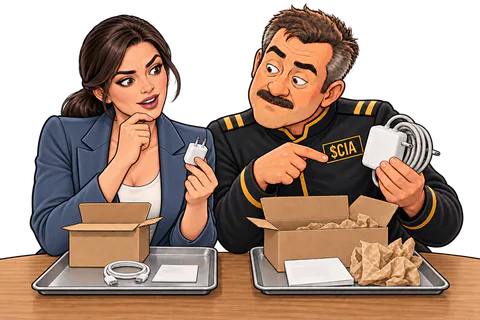
A lockfile pins a version. It does not certify that the pinned version is harmless.
The team holds the suspect update.
The team holds the version and investigates in an environment without valuable secrets. If it had already executed, they would assess exposure and rotate affected credentials rather than merely pinning back.
“The build can wait. The keys cannot be unstolen.”

Use reviewed versions and monitor advisories. A test run can itself execute dependency code.
The compromised version never reaches users.
The suspect release never reaches users. A lockfile records a chosen version, not a safety verdict. The familiar package keeps its familiar name; each new release still earns review.
“Reliable package. Unreliable Tuesday.”

Trust a reviewed release process, not merely a familiar package name.
The useful bit
A real package can publish a malicious version after a maintainer compromise.
- Review every new release, even from a package and a maintainer you trust.
- Compare the published package with its source. An unexpected script or network call is a stop sign.
- Hold a suspect update and test it away from real secrets. Write down which versions you reviewed.
I already did this
If the update executed, stop its rollout and alert your security team. Investigate affected machines and revoke and replace exposed service credentials from a clean setup. Rolling back cannot erase stolen secrets. Use the wallet incident guide if wallet keys were accessible.