%20scale(2.92)'%20fill='none'%20stroke='currentColor'%20stroke-width='2.6'%20stroke-linecap='round'%20stroke-linejoin='round'%3e%3cpath%20d='M10%2013a5%205%200%200%200%207.54.54l3-3a5%205%200%200%200-7.07-7.07l-1.72%201.71'/%3e%3cpath%20d='M14%2011a5%205%200%200%200-7.54-.54l-3%203a5%205%200%200%200%207.07%207.07l1.71-1.71'/%3e%3c/g%3e%3cpath%20fill='%23f7f5f2'%20d='M166.46%2091.84Q159.83%2091.84%20156.34%2088.06Q152.86%2084.28%20152.86%2077.39L152.86%2045.81Q152.86%2038.92%20156.34%2035.14Q159.83%2031.36%20166.46%2031.36Q173.10%2031.36%20176.59%2035.14Q180.07%2038.92%20180.07%2045.81L180.07%2052.02L171.34%2052.02L171.34%2045.22Q171.34%2039.76%20166.72%2039.76Q162.10%2039.76%20162.10%2045.22L162.10%2078.06Q162.10%2083.44%20166.72%2083.44Q171.34%2083.44%20171.34%2078.06L171.34%2069.08L180.07%2069.08L180.07%2077.39Q180.07%2084.28%20176.59%2088.06Q173.10%2091.84%20166.46%2091.84M185.62%2091L185.62%2032.20L194.86%2032.20L194.86%2056.14L204.77%2056.14L204.77%2032.20L214.01%2032.20L214.01%2091L204.77%2091L204.77%2064.54L194.86%2064.54L194.86%2091L185.62%2091M218.46%2091L228.04%2032.20L240.55%2032.20L250.13%2091L240.89%2091L239.21%2079.32L239.21%2079.49L228.71%2079.49L227.03%2091L218.46%2091M229.80%2071.51L238.12%2071.51L234%2042.45L233.83%2042.45L229.80%2071.51M254.58%2091L254.58%2032.20L263.82%2032.20L263.82%2091L254.58%2091M270.71%2091L270.71%2032.20L282.30%2032.20L291.29%2067.40L291.46%2067.40L291.46%2032.20L299.69%2032.20L299.69%2091L290.20%2091L279.11%2048.08L278.94%2048.08L278.94%2091L270.71%2091M320.02%2091L320.02%2032.20L329.26%2032.20L329.26%2091L320.02%2091M336.14%2091L336.14%2032.20L347.74%2032.20L356.72%2067.40L356.89%2067.40L356.89%2032.20L365.12%2032.20L365.12%2091L355.63%2091L344.54%2048.08L344.38%2048.08L344.38%2091L336.14%2091M384.02%2091.84Q377.30%2091.84%20373.86%2088.02Q370.42%2084.20%20370.42%2077.06L370.42%2073.70L379.15%2073.70L379.15%2077.73Q379.15%2083.44%20383.94%2083.44Q386.29%2083.44%20387.51%2082.05Q388.73%2080.67%20388.73%2077.56Q388.73%2073.86%20387.05%2071.05Q385.37%2068.24%20380.83%2064.29Q375.12%2059.25%20372.85%2055.17Q370.58%2051.10%20370.58%2045.98Q370.58%2039%20374.11%2035.18Q377.64%2031.36%20384.36%2031.36Q391%2031.36%20394.40%2035.18Q397.80%2039%20397.80%2046.14L397.80%2048.58L389.06%2048.58L389.06%2045.56Q389.06%2042.53%20387.89%2041.15Q386.71%2039.76%20384.44%2039.76Q379.82%2039.76%20379.82%2045.39Q379.82%2048.58%20381.55%2051.35Q383.27%2054.12%20387.80%2058.07Q393.60%2063.11%20395.78%2067.23Q397.97%2071.34%20397.97%2076.89Q397.97%2084.11%20394.40%2087.98Q390.83%2091.84%20384.02%2091.84M403.26%2091L403.26%2032.20L412.50%2032.20L412.50%2091L403.26%2091M432.49%2091.84Q425.77%2091.84%20422.24%2088.02Q418.72%2084.20%20418.72%2077.06L418.72%2046.14Q418.72%2039%20422.24%2035.18Q425.77%2031.36%20432.49%2031.36Q439.21%2031.36%20442.74%2035.18Q446.27%2039%20446.27%2046.14L446.27%2051.18L437.53%2051.18L437.53%2045.56Q437.53%2039.76%20432.74%2039.76Q427.96%2039.76%20427.96%2045.56L427.96%2077.73Q427.96%2083.44%20432.74%2083.44Q437.53%2083.44%20437.53%2077.73L437.53%2066.22L432.91%2066.22L432.91%2057.82L446.27%2057.82L446.27%2077.06Q446.27%2084.20%20442.74%2088.02Q439.21%2091.84%20432.49%2091.84M452.23%2091L452.23%2032.20L461.47%2032.20L461.47%2056.14L471.38%2056.14L471.38%2032.20L480.62%2032.20L480.62%2091L471.38%2091L471.38%2064.54L461.47%2064.54L461.47%2091L452.23%2091M494.74%2091L494.74%2040.60L485.08%2040.60L485.08%2032.20L513.64%2032.20L513.64%2040.60L503.98%2040.60L503.98%2091L494.74%2091M530.10%2091.84Q523.38%2091.84%20519.94%2088.02Q516.49%2084.20%20516.49%2077.06L516.49%2073.70L525.23%2073.70L525.23%2077.73Q525.23%2083.44%20530.02%2083.44Q532.37%2083.44%20533.59%2082.05Q534.80%2080.67%20534.80%2077.56Q534.80%2073.86%20533.12%2071.05Q531.44%2068.24%20526.91%2064.29Q521.20%2059.25%20518.93%2055.17Q516.66%2051.10%20516.66%2045.98Q516.66%2039%20520.19%2035.18Q523.72%2031.36%20530.44%2031.36Q537.07%2031.36%20540.47%2035.18Q543.88%2039%20543.88%2046.14L543.88%2048.58L535.14%2048.58L535.14%2045.56Q535.14%2042.53%20533.96%2041.15Q532.79%2039.76%20530.52%2039.76Q525.90%2039.76%20525.90%2045.39Q525.90%2048.58%20527.62%2051.35Q529.34%2054.12%20533.88%2058.07Q539.68%2063.11%20541.86%2067.23Q544.04%2071.34%20544.04%2076.89Q544.04%2084.11%20540.47%2087.98Q536.90%2091.84%20530.10%2091.84'/%3e%3c/svg%3e)
Safety Academy · Story 13 · Fake wallet apps & updates
Same icon. Extra owner.
An urgent wallet update wants Vera’s recovery words.
Estimated 4 min read
A search result offers a wallet update.
Vera searches for wallet update instructions. A prominent result claims her access will expire unless she updates at wallet-upgrade.example. The logo looks familiar; the source is unverified.
“The logo looks right.”

Do not treat a search position or advertisement as proof of authenticity.
The fake app copies the familiar screens.
The linked page copies the real app’s screens and advertises a download. The scammer has spent more time on the icon than on anything customers would appreciate.
“Same buttons. Very different owner.”

A copied interface can look polished. Appearance is not a security check.
The “update” asks for her recovery words.
The fake update page asks for Vera’s recovery phrase to activate the new version. She pauses without entering words or using the installer. Updating and deliberately restoring a wallet are different actions.
“An update wants to become my wallet?”

Pause unexpected recovery prompts. A legitimate restore is a separate, deliberate action.
Captain checks the installation route.
Captain starts again from the maker’s independently verified website. They check its installation instructions, linked store listing and publisher identity. A polished icon or store presence is not enough.
“We are verifying the publisher, not the icon.”
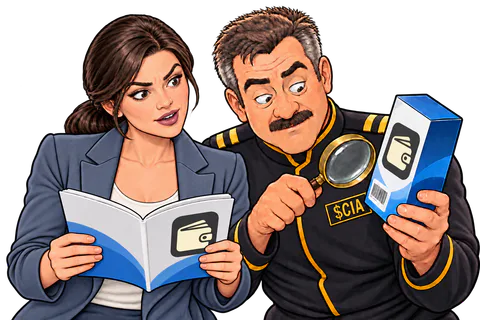
Use the maker’s verified installation instructions. A store listing alone is not a guarantee.
Vera closes the fake installer.
Vera closes the fake installer page and follows the verified update route. If software had been installed, she would stop entering secrets and follow trusted device guidance; exposed words would remain compromised.
“Your update has been declined by common sense.”

Removing malware is not enough to make an already stolen recovery phrase secret again.
Her recovery phrase never reaches the clone.
Her recovery phrase never reaches the clone. The real update comes through verified instructions. The scammer’s interface looks familiar, but Vera has checked who supplied it.
“I updated my suspicion instead.”

The habit: verify where software came from before trusting it with keys.
The useful bit
A download link can be the attack, even when the app looks familiar.
- Go to the maker's website yourself and install from there. Never from a search ad or a message.
- Check who published the app. An 'update' that asks for your recovery words is the attack.
- If a suspect app ran, stop typing secrets on that device. Uninstalling does not take back words you entered.
I already did this
Stop entering secrets on that device and follow official malware guidance. If you entered recovery words, the wallet is compromised even after uninstalling. Use a clean setup and MetaMask’s incident guide for a new wallet and remaining assets.